
Retro Hipster Camera Booth1.1.1 - Google Play
You'll be able to see results in few seconds.
Publisher Description
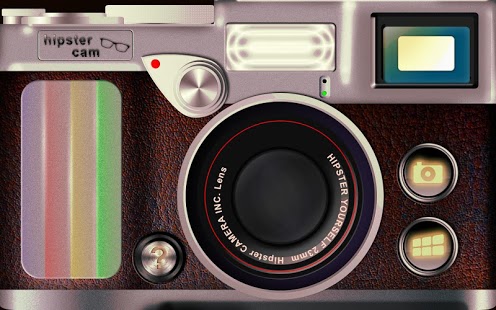
Hipster Camera for Android. Hipster yourself NOW!
Ever wondered how you would look as a hipster?
This app will apply a cool retro filter, turn you into a hipster and AMAZE everyone around you!
Turn your friends and yourself into hipsters with this amazing retro app. This very easy to use app lets you take new photos with your cellphone/tab camera, and detects people in them to turn them into hipsters with the push of a button. You can also share your best photo results with the whole world via facebook, twitter, email, mms, ect...
Alternatively you can also use older photos from your gallery on your sd card and share them too.
Unlike instagram, hipstamatic, retro camera, pixlr-o-matic, paper camera, pencil camera or other camera filter apps this photo app not only applys vintage filters to your photos but also turns you into real hipsters.
1.) take a new photo with your camera OR use a preexisting picture from your sd card
2.) apply hipsters!
3.) share image via mail, mms and social networks
-this app will turn everyone in your photos into hipsters AUTOMATICALLY in seconds
-every hipster looks different, every photo is unique
-very easy to use
-alot of cool retro interesting filters
-huge amounts cool vintage hipster gadgets like hats and glasses
-for phones and tabs
Tom, Ben, everyone will be talking about this neat booth -like app which will swap your face, with a hipster give your pic (even pano images) a vignette and a frame and make them look like printed on paper (but not like a cartoon) in a burst. Share the zoom images and everyone wioll think you have a dslr.
About Retro Hipster Camera Booth
The company that develops Retro Hipster Camera Booth is All Watched Over by Machines. The latest version released by its developer is 1.1.1.
To install Retro Hipster Camera Booth on your Android device, just click the green Continue To App button above to start the installation process. The app is listed on our website since 2012-10-18 and was downloaded 0 times. We have already checked if the download link is safe, however for your own protection we recommend that you scan the downloaded app with your antivirus. Your antivirus may detect the Retro Hipster Camera Booth as malware as malware if the download link to com.awomlg.hipstercamera is broken.
How to install Retro Hipster Camera Booth on your Android device:
- Click on the Continue To App button on our website. This will redirect you to Google Play.
- Once the Retro Hipster Camera Booth is shown in the Google Play listing of your Android device, you can start its download and installation. Tap on the Install button located below the search bar and to the right of the app icon.
- A pop-up window with the permissions required by Retro Hipster Camera Booth will be shown. Click on Accept to continue the process.
- Retro Hipster Camera Booth will be downloaded onto your device, displaying a progress. Once the download completes, the installation will start and you'll get a notification after the installation is finished.
Program Details
System requirements
Download information
Pricing
Version History
version 1.1.1
posted on 2012-10-18
Several fixes and updates
version 1.1.1
posted on 2012-10-18
Disclaimer
Official Google Play Link
We do not host Retro Hipster Camera Booth on our servers. We did not scan it for viruses, adware, spyware or other type of malware. This app is hosted by Google and passed their terms and conditions to be listed there. We recommend caution when installing it.
The Google Play link for Retro Hipster Camera Booth is provided to you by apps112.com without any warranties, representations or guarantees of any kind, so access it at your own risk.
If you have questions regarding this particular app contact the publisher directly. For questions about the functionalities of apps112.com contact us.
